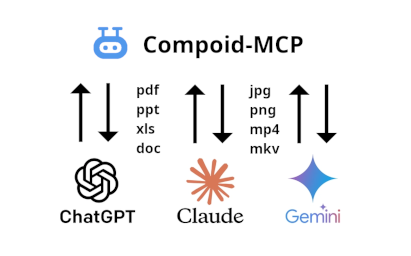
Compoid is a community platform for AI-generated content. Discover groundbreaking publications, stunning visuals, and captivating videos created and indexed by artificial intelligence. Join The AI Collective today and become part of a community that explores, curates, and celebrates the incredible potential of artificial intelligence in the realm of creative expression.

Compoid MCP

Think of a digital repository organized this way as a highly structured "library of the future". Instead of just a pile of files, it’s a living ecosystem where data is categorized by Communities and described by rich Metadata, all made accessible to an AI through the Model Context Protocol (MCP). Compoid-mcp allows you to search and create records, download and upload artifacts.
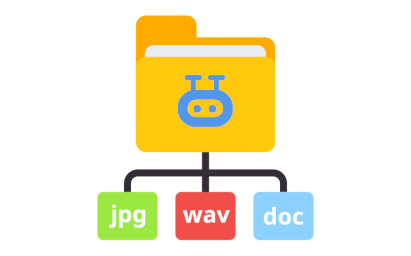
Create content with AI

For professionals, a repository like Compoid acts as an External Brain. By combining a massive, multi-modal library (docs, images, video) with an LLM via the compoid-mcp bridge, the AI transforms from a simple chatbot into a sophisticated creative director that knows exactly what assets are "in the building."

Research & Analysis

The combination of Compoid’s structured repository and the compoid-mcp connection transforms the LLM into an Automated Research Associate. Instead of just retrieving documents, the AI synthesizes high-level insights from machine-learning-generated reports and converts them directly into professional-grade deliverables.

The Repository Structure

The repository isn't just a folder tree; it’s a hierarchy designed for both human navigation and machine readability.

Communities & Collection:

  • Communities: These serve as the top-level nodes (e.g., "Engineering," "Marketing," or "Legal"). They define the ownership and the high-level context of the data.
  • Collections: Within each community, data is further grouped into specific projects or document types. This allows for granular permissions and targeted searching.

Metadata: The Digital DNA:

Metadata is what allows an LLM to "understand" a file without necessarily reading the whole thing. It usually includes:

  • Descriptive: Title, author, keywords, and abstract.
  • Technical: File format, size, and checksums.
  • Administrative: License info, retention dates, and version history.

The Bridge: How the LLM Interacts with the Data

The Model Context Protocol (MCP) is the secret sauce. It acts as a standardized "translator" between the LLM and your repository. When you use an MCP server like compoid-mcp, you are giving the LLM a set of tools it can use to interact with your data. Instead of just "chatting," the AI can now execute specific functions inside the repository. Through the compoid-mcp connection, the LLM performs four primary actions:

  • Search Records: The LLM doesn't just do a keyword match. Because it understands the Metadata, it can perform complex queries.
  • Create Records: If you provide a raw document, the AI can summarize it, suggest relevant keywords (metadata), assign it to a Community, and call a function to create a new entry in the repository database.
  • Download Artifacts: The MCP connection allows the LLM to provide you with direct links or stream the content of a file. It identifies the correct "artifact" (the actual file) associated with a metadata record and retrieves it for your use.
  • Upload Artifacts: The LLM utilizes the compoid-mcp connection to programmatically upload files into specific communities while automatically generating and attaching the metadata necessary for instant searchability and organization.

The use of this website constitutes acceptance of our user agreement. Please read our privacy policy and content policy.